How do I add my Review Stream to my Facebook page?
- Automatically stream your latest and greatest reviews to Facebook
To get your Review Stream on Facebook, you will first need to add a new dedicated tab to your Facebook business page using any third-party app that lets you add tabs that contain HTML.
Here are some apps that our customers use:
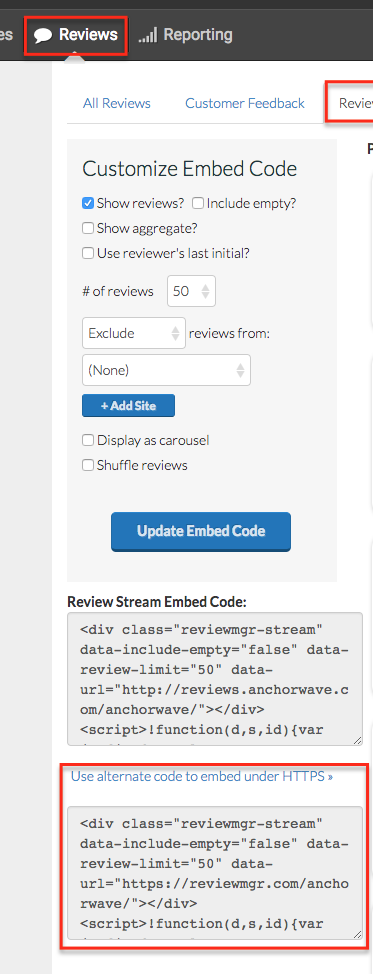
Then, the process is just like adding the Review Stream to a website: copy/paste the HTTPS embed code to the HTML content area of your new tab (see screenshot below).
For an example of what the finished product looks like, see our Example Reviews Tab:
https://www.facebook.com/anchorwaveinternetsolutions/app/208195102528120/